
Check the clock on your own storefront
The public release date in the site's game record is October 29, 2026. The October 26 Steam news post says the journey begins on October 28, 2026, at 7:00 PM Pacific Daylight Time, while the Steam purchase row continues to display October 29. The store row and the news post are different pieces of information; do not convert either into a universal local midnight without checking the platform and region you will use.
On launch day, open the PlayStation Store, Steam, or Epic Games Store account that owns the game and read its current availability message. A regional date label can reflect the same global release moment differently. If the button is still a countdown, do not repeatedly reinstall the game or change your device clock. Keep the news-post time, the store display, and your local time in separate notes until the platform confirms access.
Reserve storage on an SSD
The launch preparation post describes a download of approximately 145 GB and asks players to reserve at least 300 GB for the preload process. These figures describe different things: the approximate game size and the temporary free-space recommendation. Do not interpret 300 GB as the final installed size, or assume that the 145 GB download is the exact amount of free space needed to unpack and update it.
Install to an SSD. Before starting the download, check the free space on the drive that will hold the game, empty any files you already meant to remove, and confirm that the install client points to that drive. If the drive is near its limit, make room before preload rather than moving a partial install while the launch client is busy. Leave additional headroom for operating-system updates and saves; the official figures do not promise that every future patch will use the same amount of space.
Use the store's download status as the source of truth. A paused transfer, verification phase, or decompression step can look idle even when the client is working. Let it finish, then use the platform's file verification feature if the launcher reports a damaged or incomplete install. Deleting and downloading the whole package again should be a later troubleshooting step, not the first response to a slow verification bar.
Review the PC requirement table
The Steam listing checked on October 26 publishes a minimum target of Windows 10 or 11, an Intel Core i7-8700K or AMD Ryzen 5 3600, 16 GB of memory, and a GeForce GTX 1660 6 GB or Radeon RX 5500 XT 8 GB. The minimum note targets 1080p at 30 frames per second with upscaling, and calls for an SSD and DirectX 12. Its recommended tier names an Intel Core i5-10600K or AMD Ryzen 5 5600X, 16 GB RAM, and a GeForce RTX 3060 Ti 8 GB or Radeon RX 6700 XT 12 GB; that tier targets 1440p at 60 frames per second with upscaling.
Compare the full table with your own CPU, GPU, memory, Windows version, and available SSD space before you buy or install. A GPU name alone does not settle performance: the store's target includes resolution, frame rate, and upscaling, and real performance can vary with drivers and later patches. Update the graphics driver through its normal vendor tool before launch, restart if the installer requests it, and avoid changing several driver-level overrides on the same evening.
The minimum and recommended rows do not guarantee a particular setting on every display. Start with a supported preset, test one change at a time, and use the game's own performance indicators if available. Do not copy an unverified frame-rate claim from a pre-release clip as a benchmark for your machine.
Confirm platform, edition, and input
The confirmed launch platforms are PlayStation 5 and Windows PC through Steam and Epic Games Store. The public platform list does not include Xbox or Nintendo Switch. The US listed prices are $59.99 for Standard and $69.99 for Digital Deluxe; store prices, taxes, and availability can differ by country. Before purchase, check the active storefront for the edition name and its contents. A special cosmetic or a preorder bonus is not evidence of a gameplay advantage.
The game is listed as single-player, so prepare the controller or keyboard setup you want to use for a solo action game. Connect a controller before launching if that is your preference, then check the title screen or options menu for its detected layout. The site does not have a confirmed launch-build button map yet; treat the controls shown in your copy as authoritative. If you use keyboard and mouse, check the in-game bindings before starting a long session and note which actions can be reassigned.
Keep the first session diagnostic
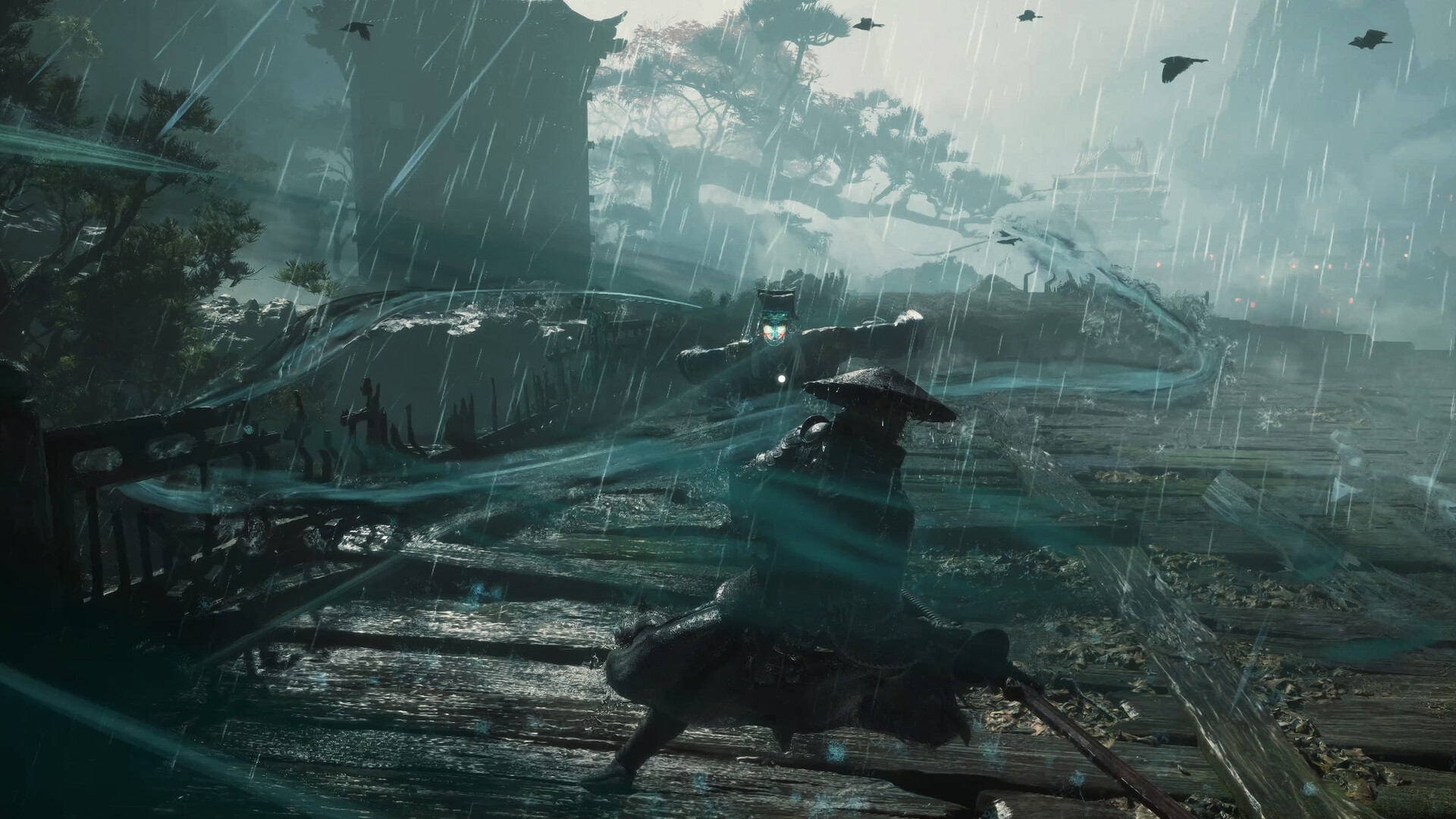
The public game description identifies Soul as the protagonist and describes a third-person wuxia action RPG. Published coverage before release describes two primary blade slots, two Phantom Edge slots, Sha-chi as a resource, and Ghostep for repositioning. Those facts help readers recognize the broad vocabulary, but they are not a verified launch walkthrough or a promise that every weapon behaves the same way.
During the opening session, read the tutorial prompts and learn one defensive response at a time. Do not assume a named weapon's damage, a boss phase count, an upgrade cost, or the best build from a trailer. Record the game's version number if the menu shows it, and capture the exact wording of an unfamiliar tutorial. That makes later strategy notes more useful and helps separate a launch patch from footage shown earlier.
If you encounter a crash or a black screen, first confirm the install completed, check for a current game update, and restart the client once. On PC, compare the system against the published requirements and close an overlay only when it is a plausible cause. Preserve the error message and the session context before changing files. The existing pages for system requirements, download size, unlock timing, and release status cover those separate checks.
Launch-day questions
Is Phantom Blade Zero playable on October 28? The Steam news post says October 28 at 7:00 PM PDT, while the store row displays October 29. Check your regional platform's live button.
How much space should I leave? The post says the game is approximately 145 GB and asks for at least 300 GB free for preload. It also requires an SSD.
Does this checklist include a complete walkthrough? No. It covers launch preparation. Add combat and route guidance only after a launch build provides verifiable steps.
Will the PC requirements change? The current store table is a dated snapshot. Check Steam again for revisions and patches.